ACTIVATED HUMAN
Activated Home

Set the hours you want to keep. Your home helps you keep them.

Activated Home runs your lights, sound and temperature on your wake time and your bedtime. Mornings come up bright. Evenings go warm and low. By bedtime the house is already winding down, a little ahead of you. Change it from your iPhone, the panel on your wall, or Blue.
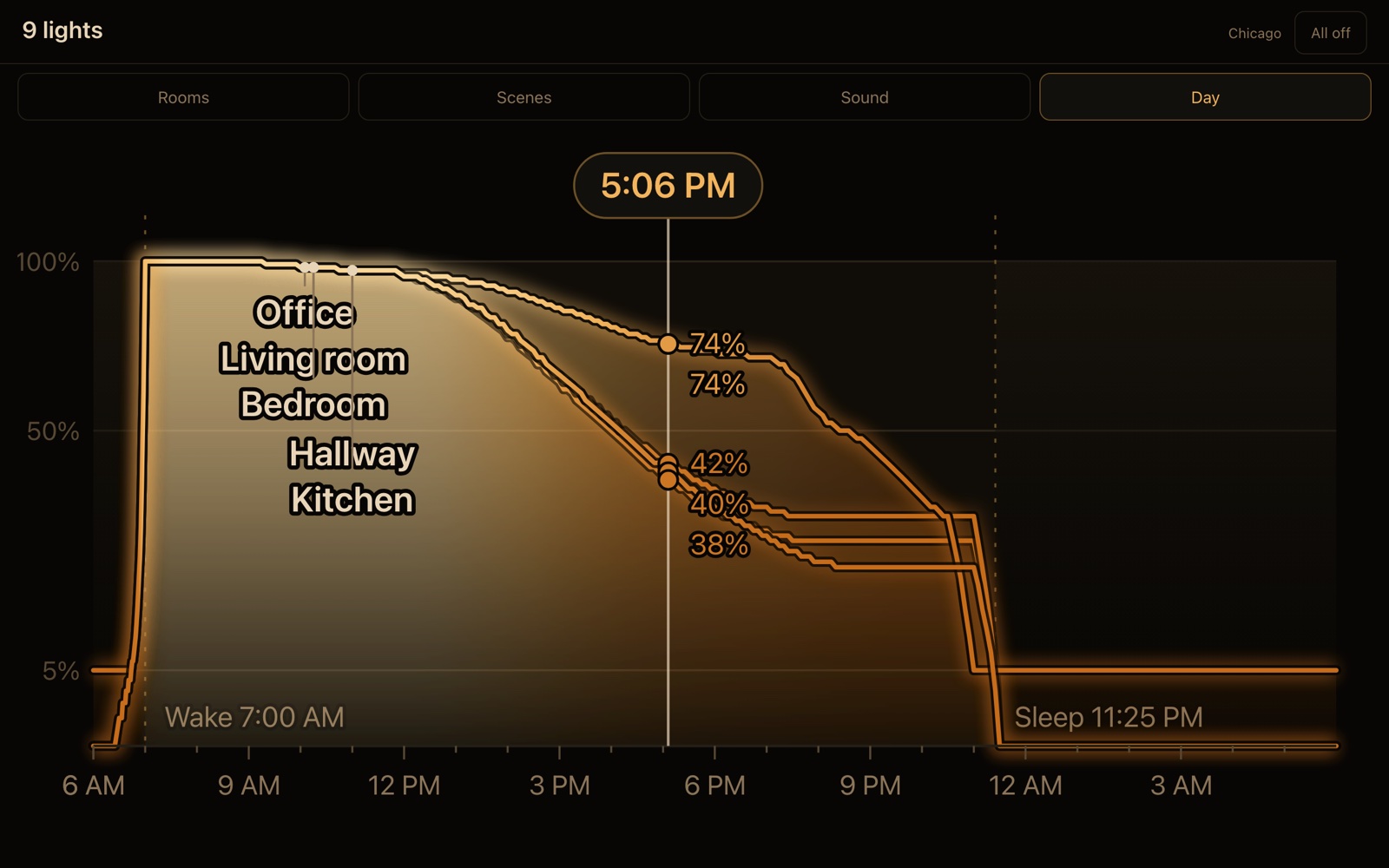
The Activated Home wall panel's Day view: each room's light through the day, from wake at 7:00 AM to sleep, warm and dim on a dark screen
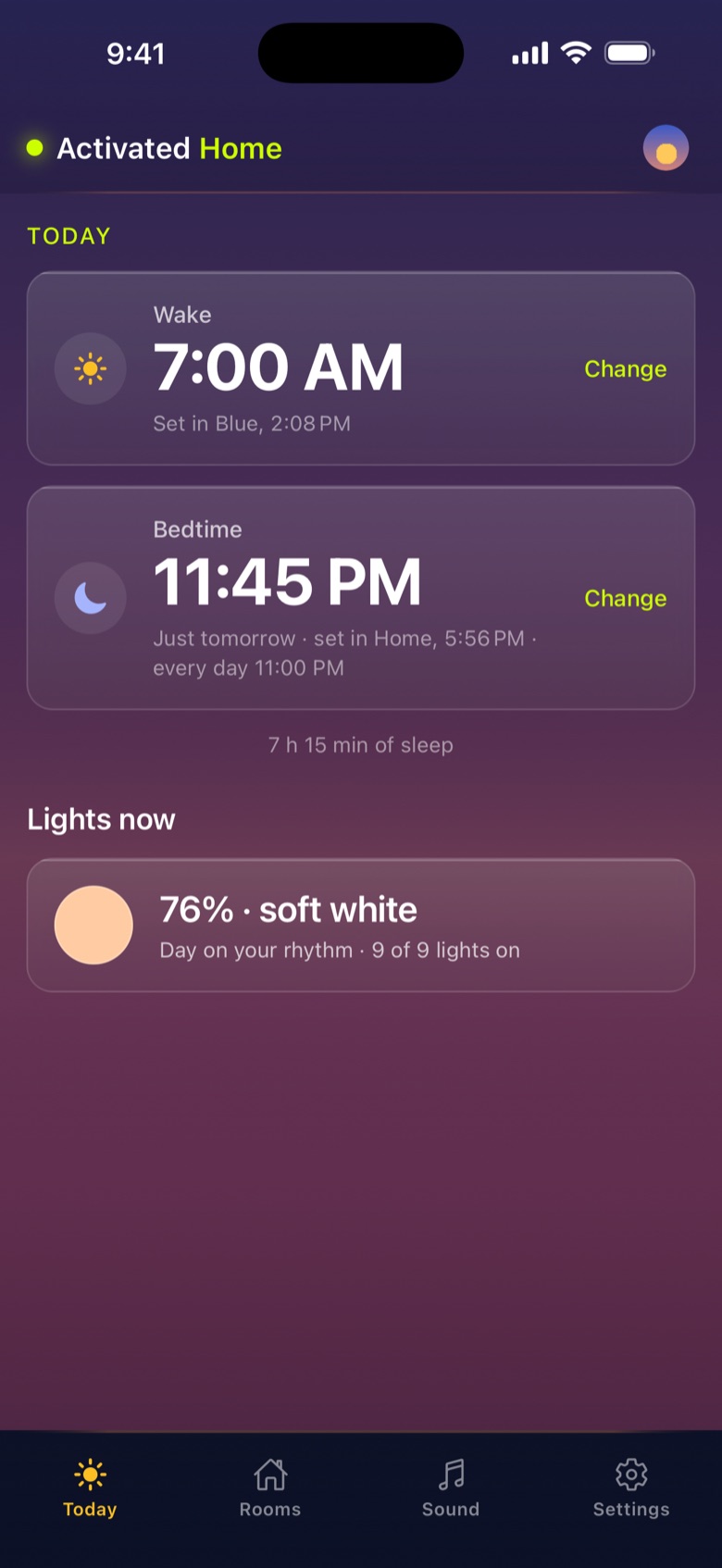
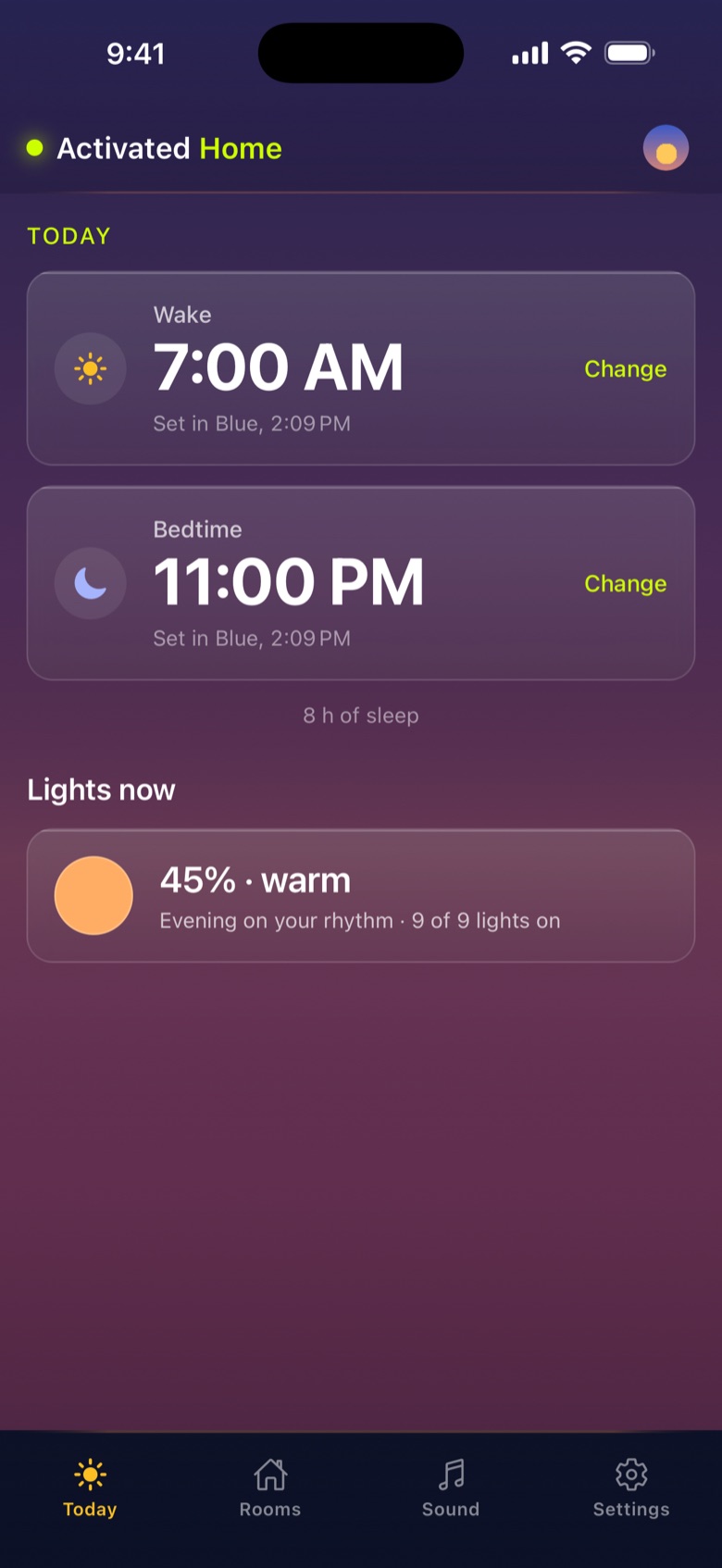
Activated Home on iPhone, the Today tab in the evening: wake at 7:00 AM, bedtime at 11:00 PM, 8 hours of sleep, and the lights at 45% and warm, on the evening of your rhythm
Why it matters

Your body keeps time. Most houses don't.

Most homes give you the same light at 1 AM as at 1 PM. Your brain reads bright light as daytime, so it keeps you going. If you have ADHD, or you just love what you're working on, one more hour turns into sunrise, and the rest of the week pays for it.

Activated Home brings the evening into the room for you. A few hours before bed the lights turn warm and lower, your evening sound starts, and at bedtime the rooms go dark unless you've asked one to keep a glow. You can still stay up. Nothing locks you out.

In the morning the bedroom light rises before you wake, so you wake naturally into something like daylight, even in December.

Your day

Everything in your home can move with your day.

You set when you want to wake and when you want to sleep, and the house plans around them. Light runs bright and cool through the day, turns warm and lower by three hours before bed, and goes dark at bedtime.

Temperature gets its own curve, shaped however you like: cooler as you head to bed, warm before you get up. Sound works the same way: you choose what plays and how loud it gets, from the evening into the night.

Move your bedtime and every curve moves with it. Move it just for tonight, and tomorrow goes back to your usual.

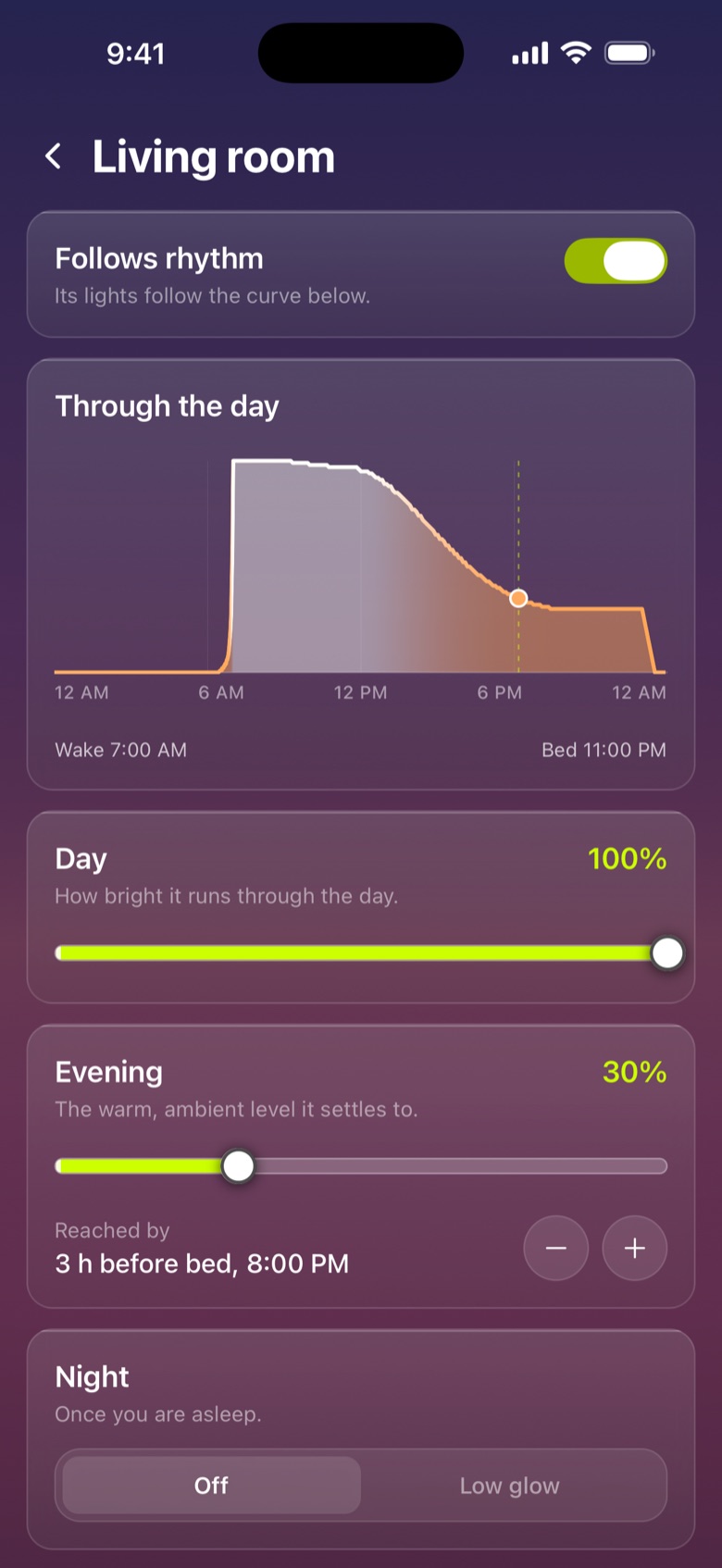
The living room in Activated Home on iPhone: Follows rhythm on, the room's light through the day from wake at 7:00 AM to bed at 11:00 PM, 100% by day and 30% by evening, reached 3 hours before bed
Bedtime moved to 11:45 PM just for tomorrow in Activated Home on iPhone, with the everyday bedtime of 11:00 PM kept
Rooms

Every room on its own terms.

Your office can run bright all afternoon while the bedroom never gets past soft. For each room you choose how bright it runs by day, how low it goes in the evening and how early, and whether it goes off at night or keeps a glow.

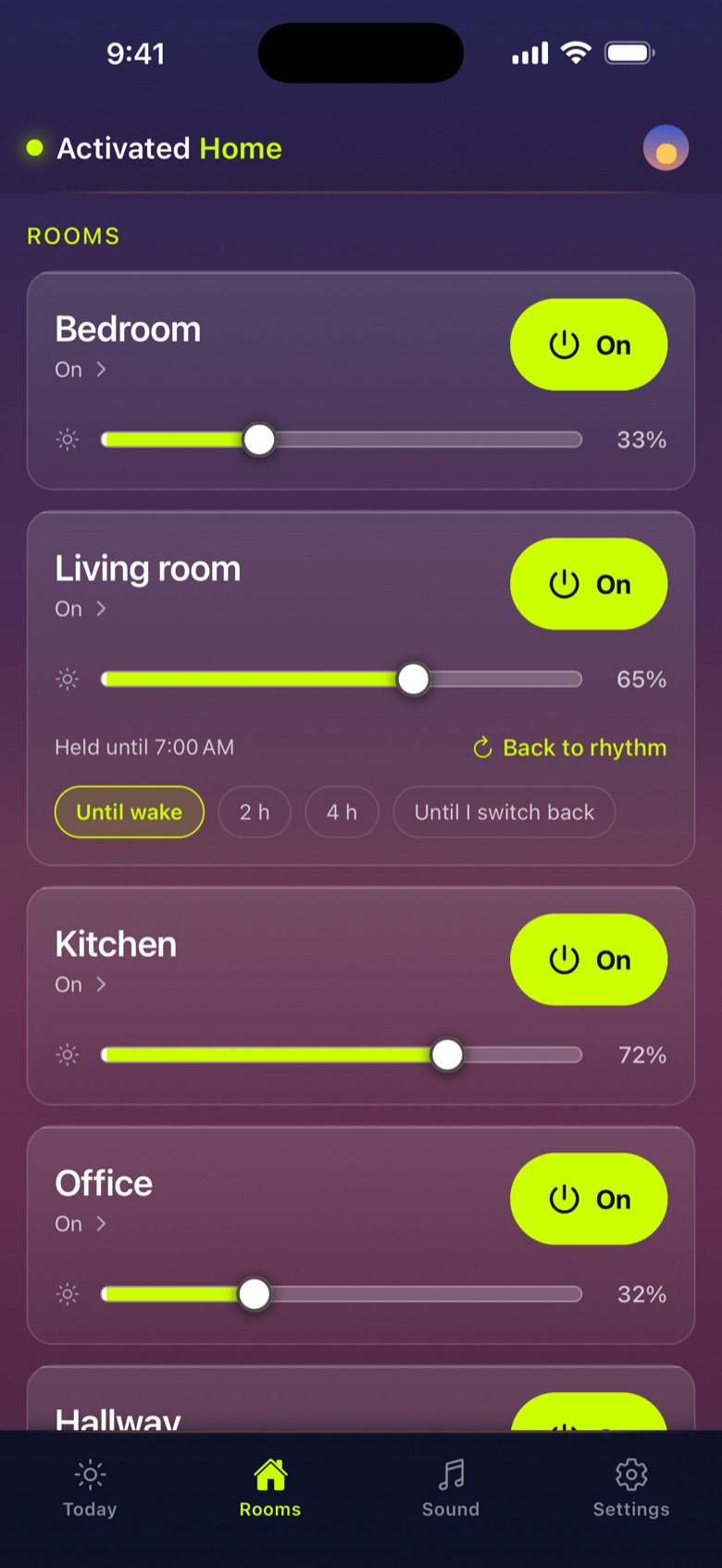
Change a room by hand and choose how long it holds: until you wake, for two hours, for four, or until you switch it back. Then it rejoins the rhythm.

The Rooms tab in Activated Home on iPhone: the living room turned up to 65% and held until 7:00 AM, with the choices Until wake, 2 h, 4 h and Until I switch back, and Back to rhythm
Sound

Sound that knows what time it is.

Give the house an evening, a night and a morning. Evening sound plays until night starts, night sound carries you to morning, and morning sound starts when you wake, or a little after if you like.

It plays on any AirPlay 2 speakers, in one room or several at once, in sync. Add a YouTube playlist, a single video or your own recordings. Weekday and weekend mornings can each have their own mix.

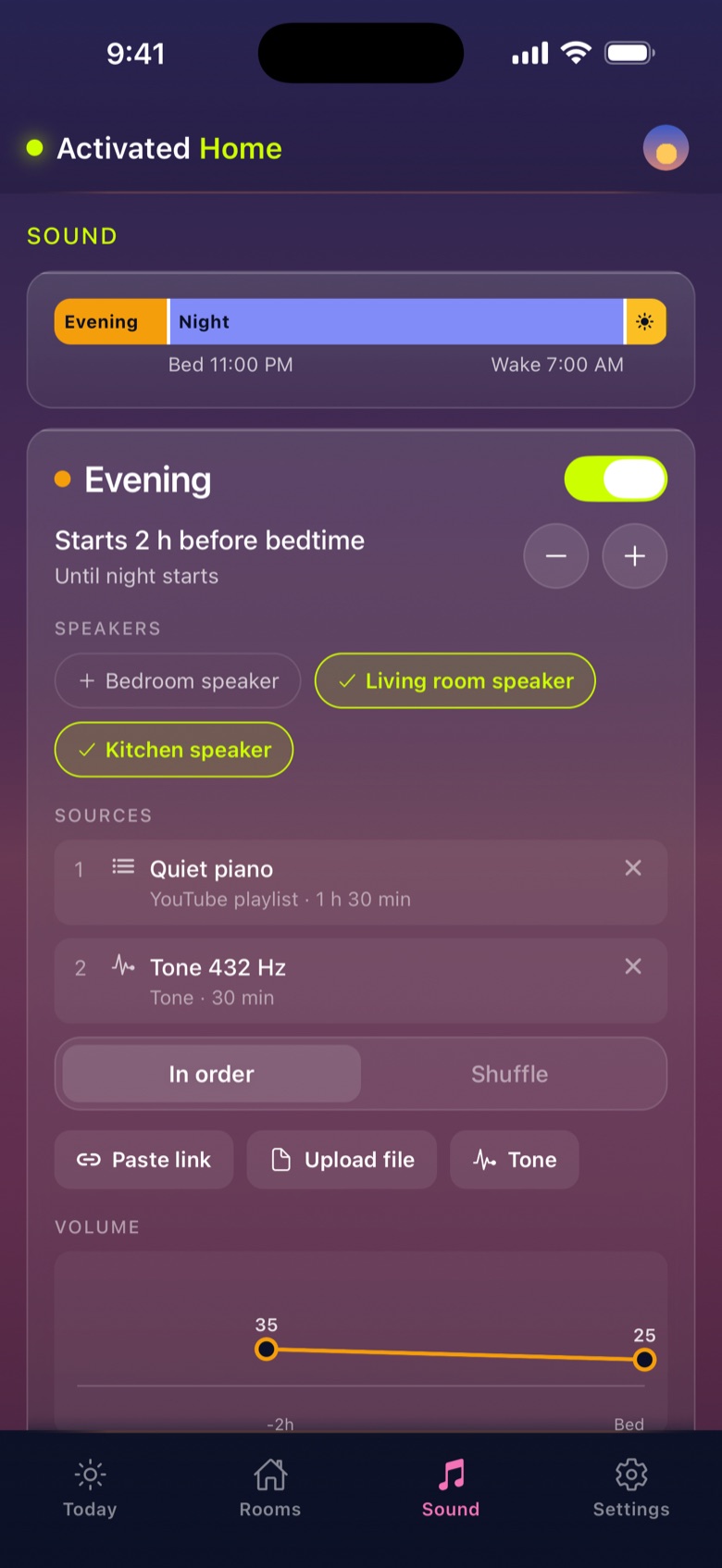
The evening sound program in Activated Home on iPhone: starts 2 hours before bedtime on the living room and kitchen speakers, with a piano playlist and a volume curve that lowers toward bed
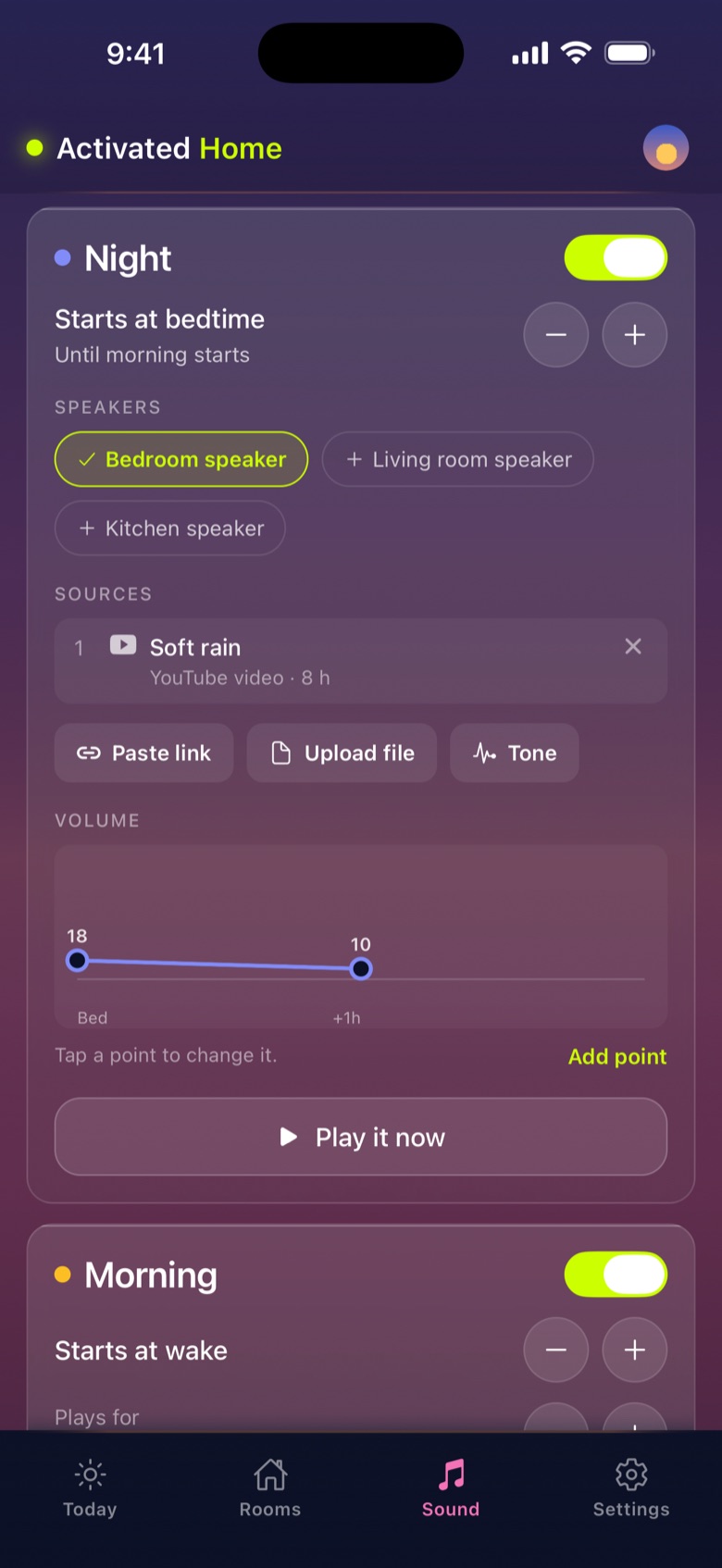
The night sound program in Activated Home on iPhone: soft rain on the bedroom speaker from bedtime until morning, with its volume curve
While you're living in it

It keeps an eye on the house.

Empty rooms dim

With a motion sensor in a room, its lights ease down to a tenth after fifteen minutes with nobody there, and come back up when you walk in. You choose the wait and how low it goes.

It tells you when something drops off

If a light, a speaker or any other device drops off your network, your phone tells you which one within minutes. Nothing rings between your bedtime and your wake time.

On your wall

A screen on your wall that stays out of your night.

The hub's touchscreen shows your day, your rooms and your sound. Tap a room to change it. Its colors are warm and dim, with no bright white anywhere, so walking past it at 3 AM won't wake you up. Leave it alone and it rests.

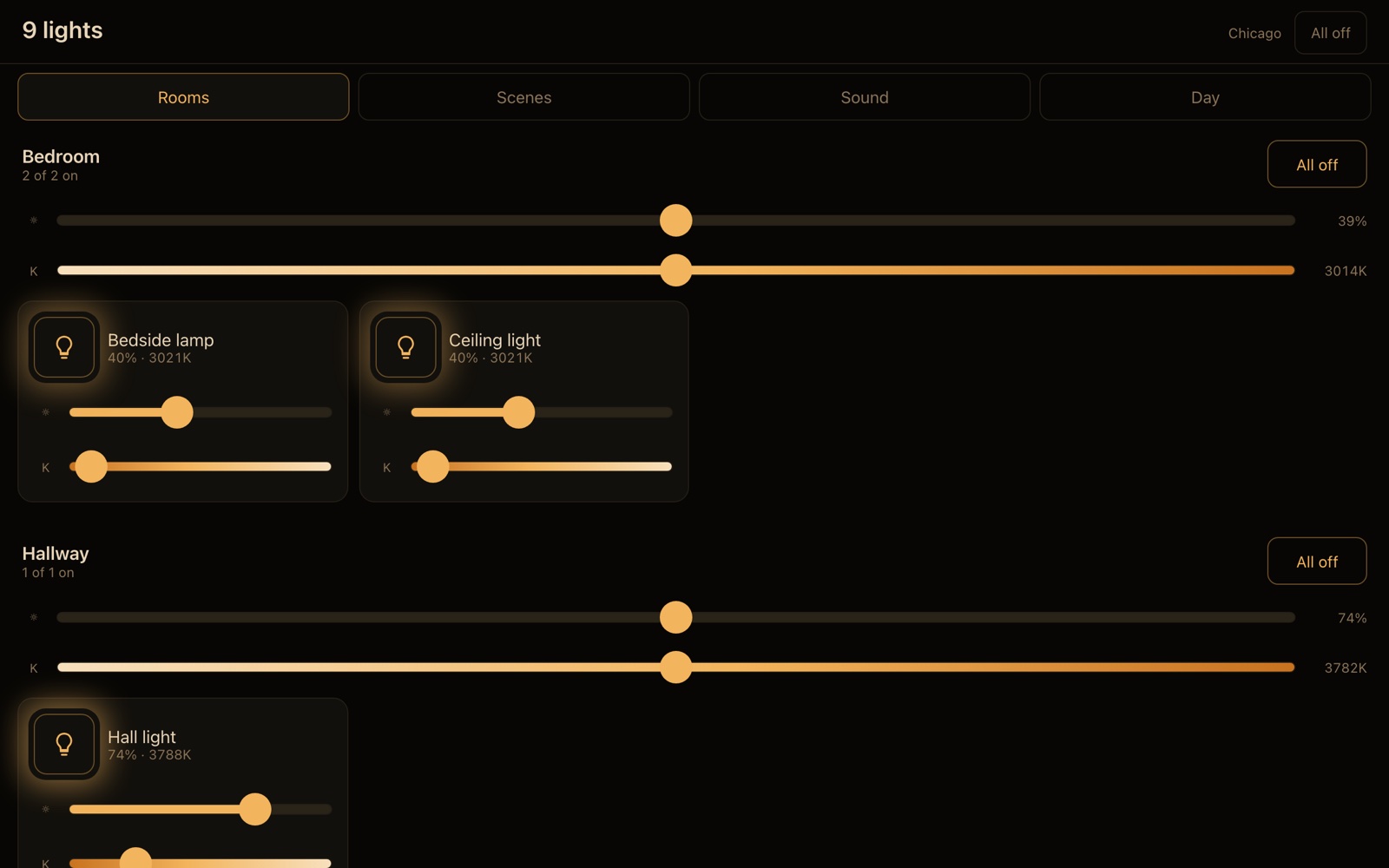
The Activated Home wall panel showing the bedroom and hallway, each lamp with its brightness and color temperature
With Blue

Blue knows the life you're building. Now your house does too.

Blue is the companion that holds your vision, your rhythm and your week. Connect Activated Home in Blue's Apps and the two keep one wake time and one bedtime.

Tell Blue you're sleeping in tomorrow and the morning light moves with you, for that day only. Ask for the office a little warmer, the bedroom off, or your night sound earlier, and it's done. Blue's Today shows what the house has planned for tonight.

When the house can tell you're up, Blue waits for you too. Morning check-ins arrive after you get up, not while you're still asleep.

Meet Blue →
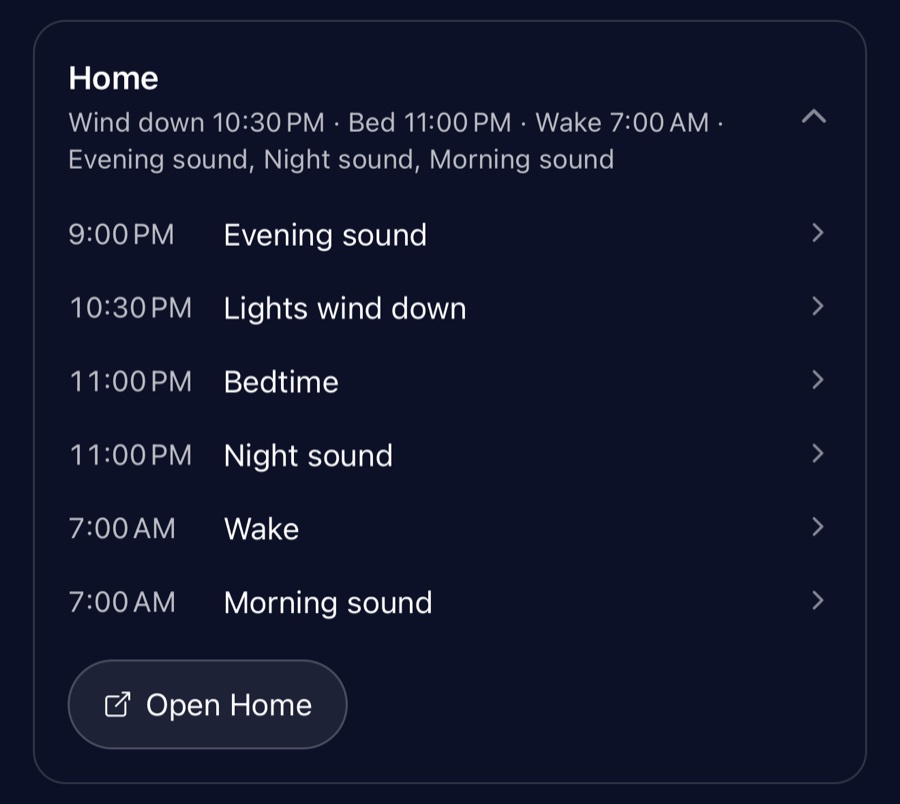
The Home card on Blue's Today: wind down at 10:30 PM, bedtime at 11:00 PM, wake at 7:00 AM, and the evening, night and morning sound
The kit

What comes in the box.

Every kit has a hub. Add controllers for the LED strips you want, or use lights you already own.

The hub

A slim touchscreen for the wall. It runs your lights and your speakers, and keeps your day running from its own memory if the internet goes down.

The small hub

No screen. Plug it into any USB phone charger, join it to your Wi-Fi from the app, and it runs your lights.

Light controllers

Our own boards for LED strips. Twelve 24 V channels, so one controller can run warm and cool strips across a whole room, out of sight behind furniture or in a cove.

Works with Elgato Key Lights and Light Strips, Pixelblaze, Matter lights and sensors, any AirPlay 2 speaker, and Ecobee thermostats through HomeKit. Have something else in mind? Ask us.

Get one

Built by hand, one home at a time.

We put each kit together for the home it's going to. Tell us about your place: how many rooms, what lights you have now, and which rooms you want to start with. We'll write back with questions, then a quote.

No newsletter. One reply, from a person.

FAQ

Questions people ask.

A hub and lights it can reach: Elgato Key Lights and Light Strips, or LED strips on our controllers. Plug in the hub, join it to your Wi-Fi, type the six-character code it shows into the app, and it finds your lights.

Elgato Key Lights and Light Strips, LED strips on our own controllers, Pixelblaze, Matter lights and sensors, any AirPlay 2 speaker, and Ecobee thermostats through HomeKit. Have something else in mind? Ask us.

Your lights keep following your day. The hub keeps its own copy of your schedule and runs it in the house. You can't change things from outside the house until the connection is back.

Only what you ask. Once you connect Activated Home in Blue's Apps, Blue can move your wake time or bedtime, for good or for one night, change a room's lights, start or adjust your evening, night and morning sound, and apply a scene. It tells you what it changed, and you can disconnect it any time.

Yes, on iPhone, in beta today. The hub's touchscreen on your wall does the same things.

It isn't priced yet. Each kit is put together for the home it goes in, so the price comes with your quote. Leave your email above and we'll write back with questions first.

Also from Activated Human
BlueYour interface to the Life Framework.HeartWeaveYour space with the people closest to you.